The platform

Every completions activity. One source of truth.

Sigma brings scope, field execution, certification, quality and reporting into a single platform — so the record your client accepts is the record your team built.

Capabilities

Explore the platform, one part at a time

Each part of Sigma has its own page: the problem it solves, how it works, and what it connects to.

Scope & setup

Structure the project once, use it everywhere

Define areas, systems, sub-systems and assets in a single hierarchy. Every register, dashboard and report is filtered from it — so the project is always viewed the same way.

  • Bulk import with a full preview and inline corrections before anything is saved
  • Inspection matrix linking asset types to the required check sheets
  • Target dates by sub-system to drive planned progress
  • Contractor companies with access limited to their own areas
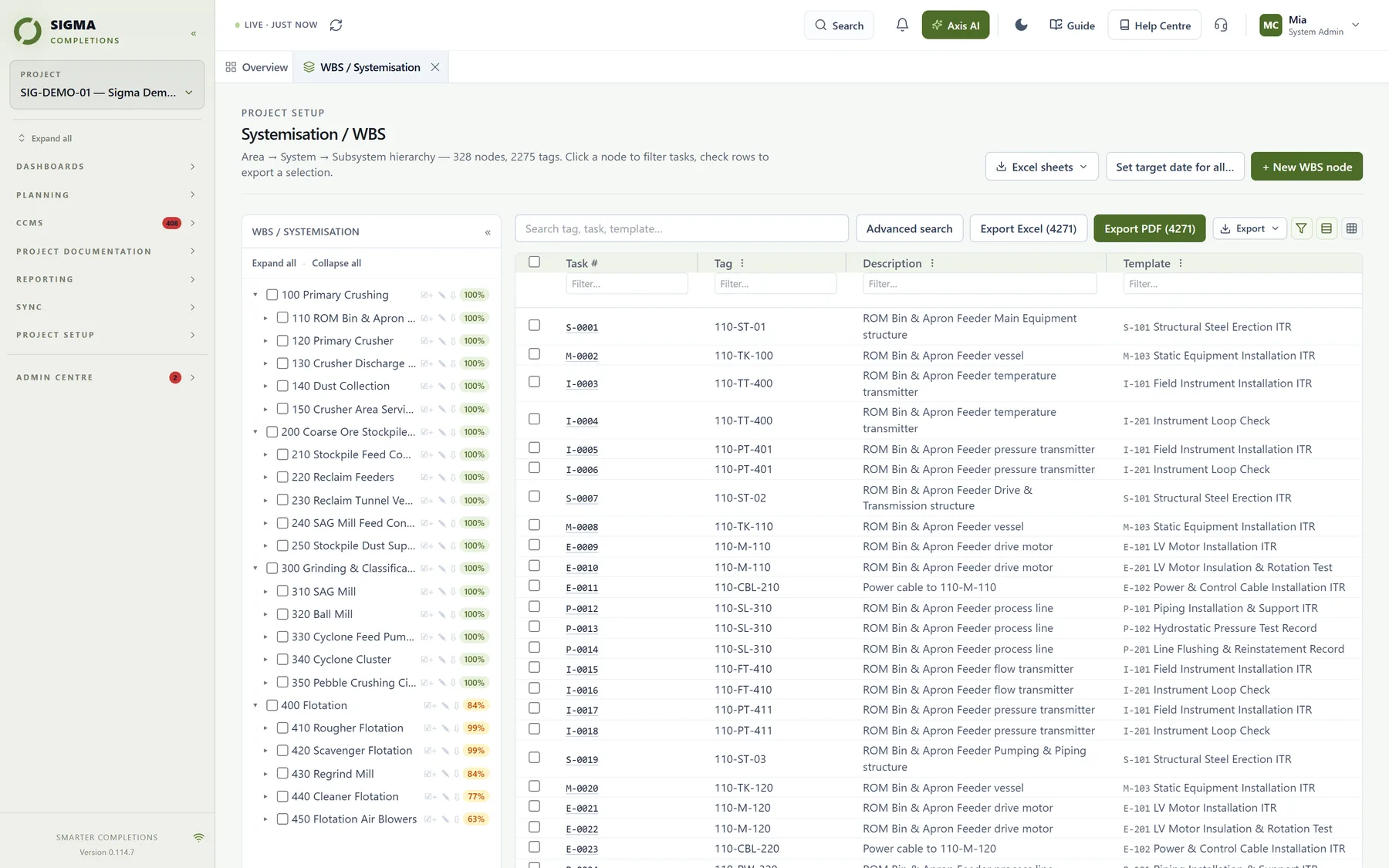
Sigma work breakdown structure
Field execution

Check sheets your field teams will adopt

Inspection and test records are completed directly in Sigma. Every entry is saved as it is made, and defects are raised as punch items at the exact line where they are found.

  • Pass, punch or not applicable in a single action
  • Assign and check out work to individuals
  • Staged sign-off with rejection back to the previous step
  • Photos and attachments stored against the record
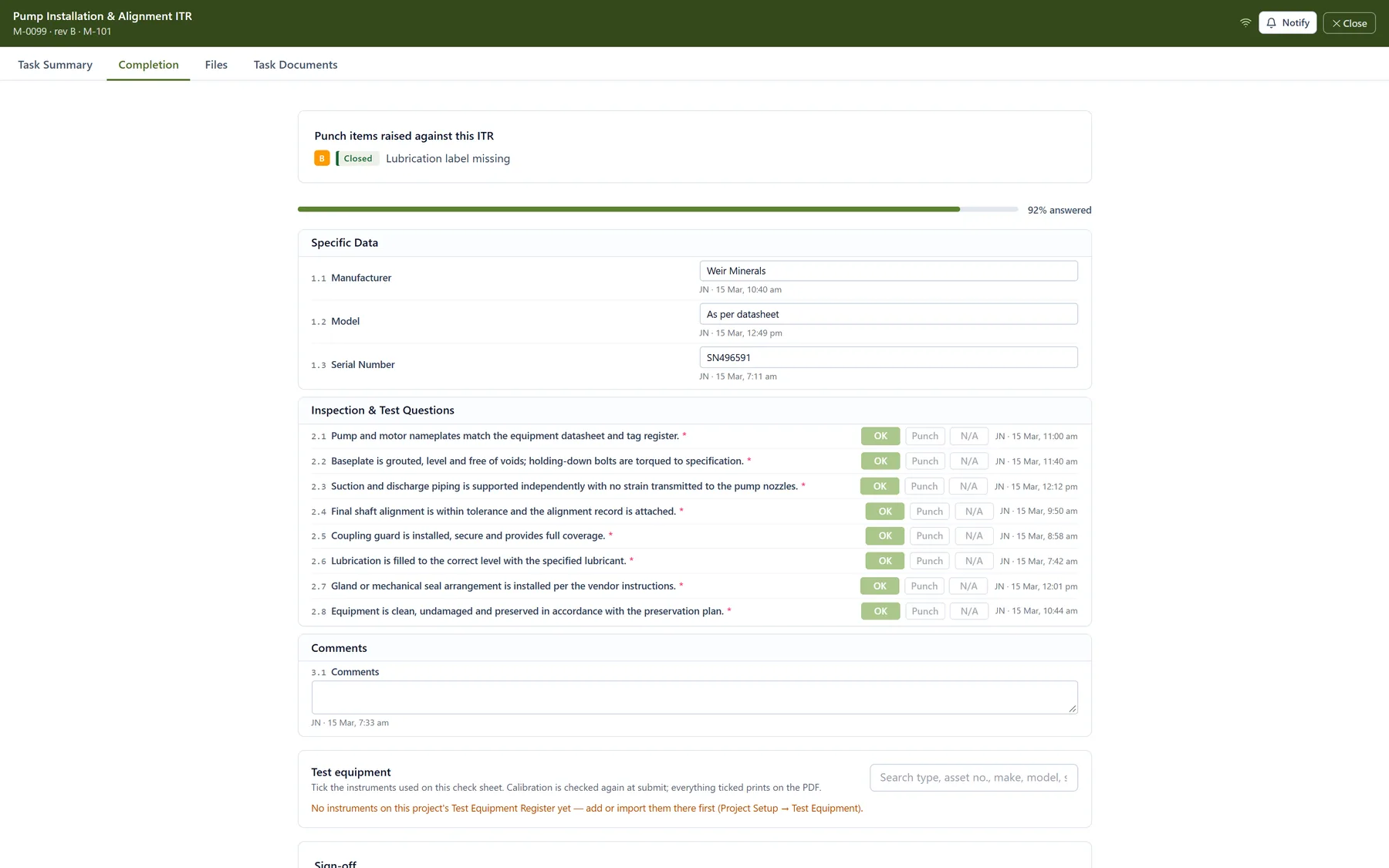
Sigma check sheet
Certification & handover

Certificates that release on evidence alone

Mechanical completion, pre-commissioning, commissioning and handover certificates are gated on the check sheets, punch items and prerequisite certificates beneath them.

  • Automatic readiness evaluation across whole systems
  • Controlled exceptions, each with a recorded justification
  • Client approval captured in the platform
  • Handover dossiers compiled and exported in one step
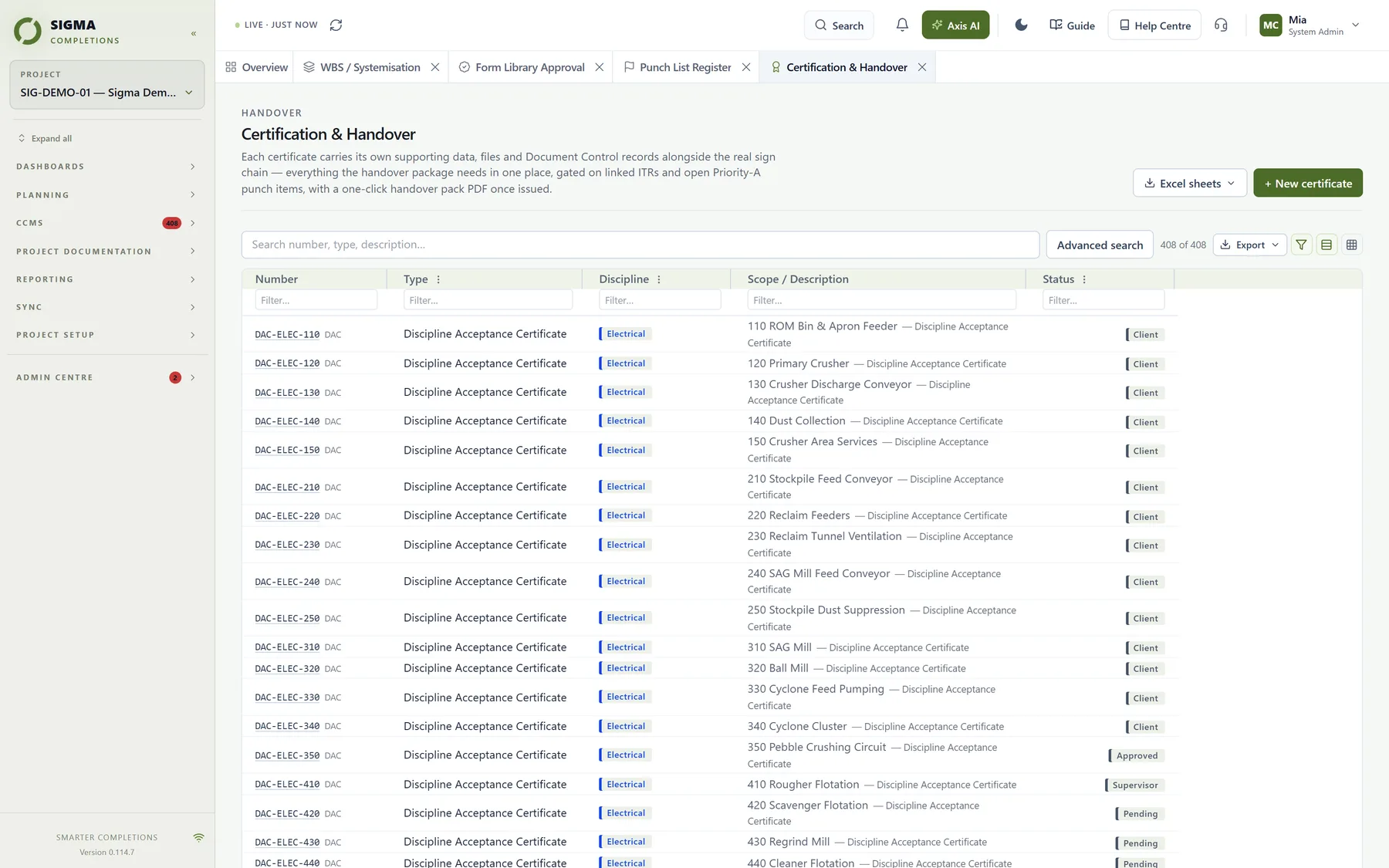
Sigma certificates
Progress & reporting

Reporting that reflects today

Target, actual and forecast curves are calculated from signed records only. Fifteen dashboards give every stakeholder the view they need, and client reports can be issued on a schedule.

  • S-curves by discipline, system, stage or hours
  • Forecast finish and required weekly completion rate
  • Scheduled client reports and daily progress summaries
  • Every register exportable to Excel and PDF
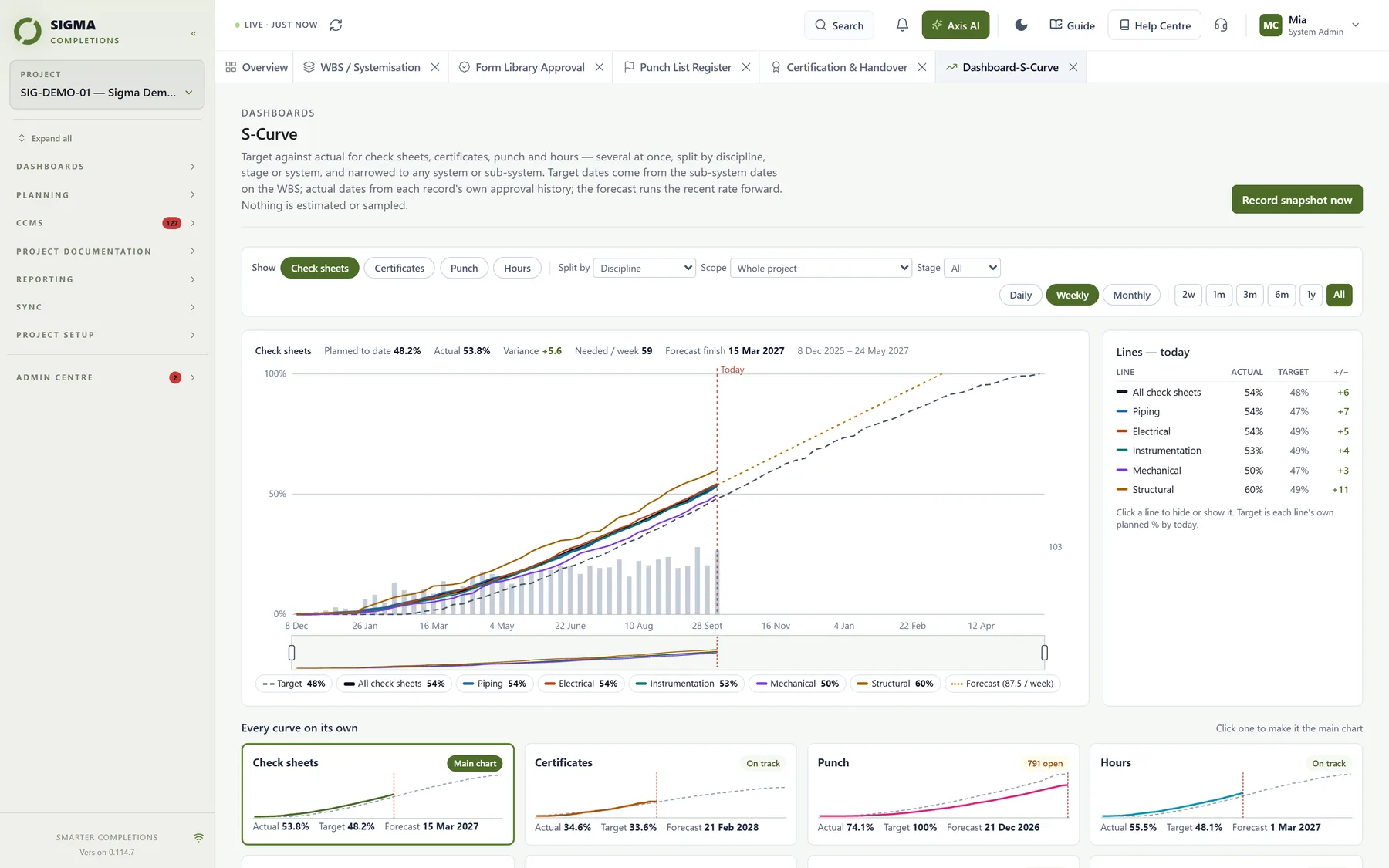
Sigma S-curve
Phones & tablets

The same platform in the field

No separate app to install or keep in step. Sigma lays itself out for the device in hand — a phone in a technician's pocket, a tablet at the switchroom, a desktop in the site office — on one set of records.

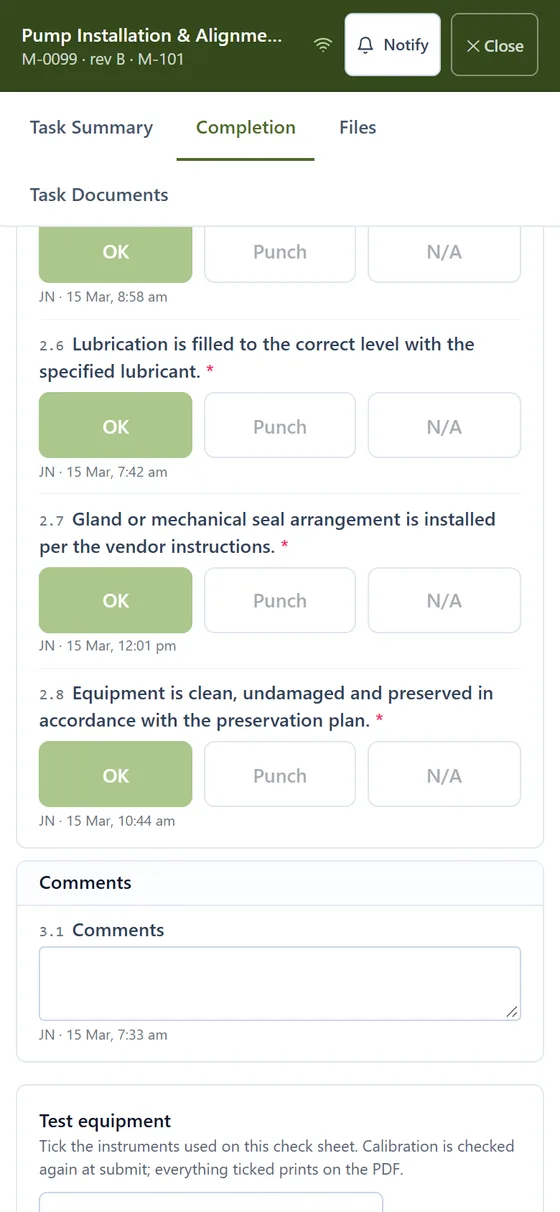
A Sigma check sheet on a phone: each check with its OK, Punch and N/A buttons
Check sheets on a phone — thumb-sized OK / Punch / N/A, sign-off a tap away
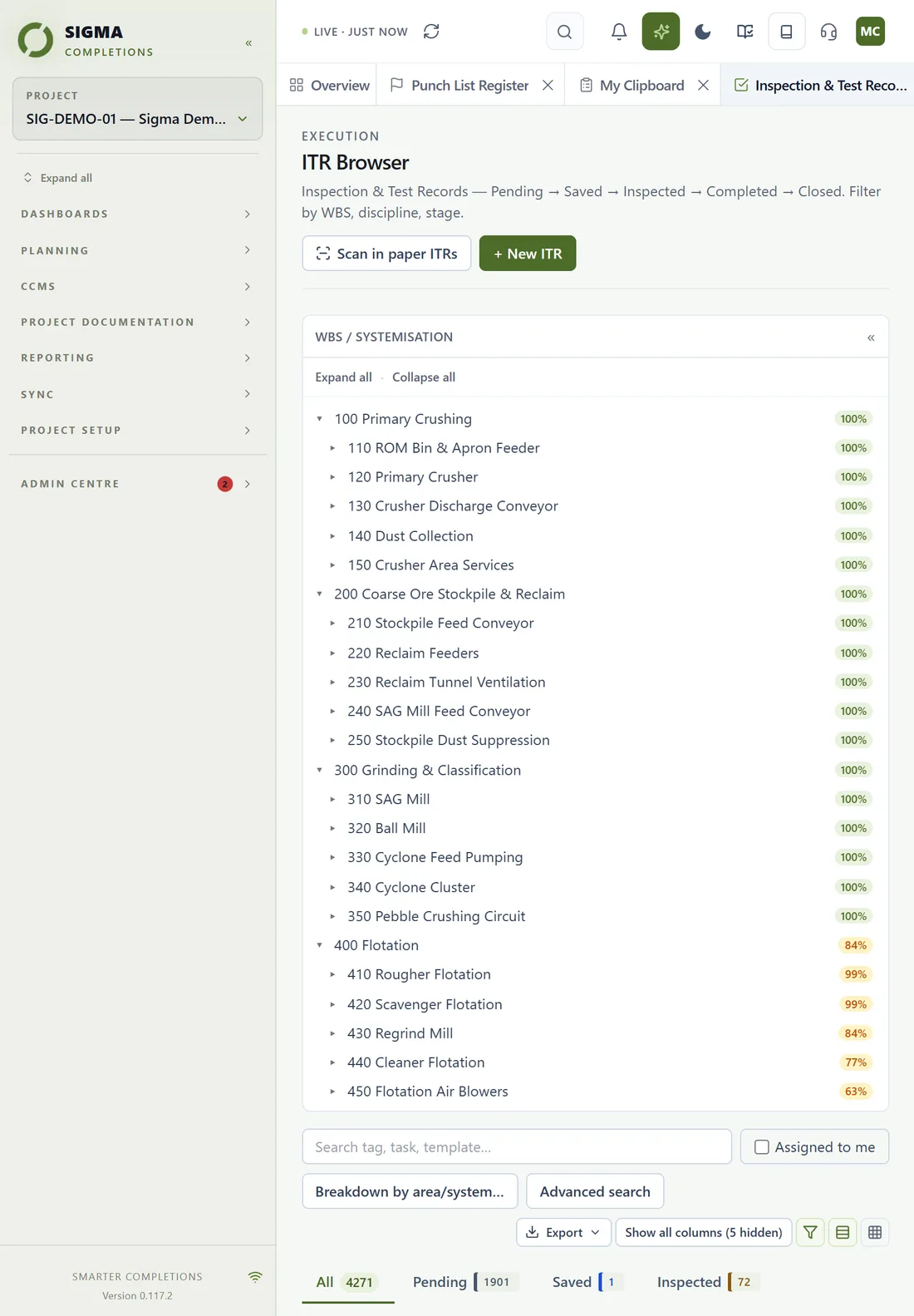
The Sigma check sheet register on a tablet
Registers on a tablet — the full grid, scope tree and filters
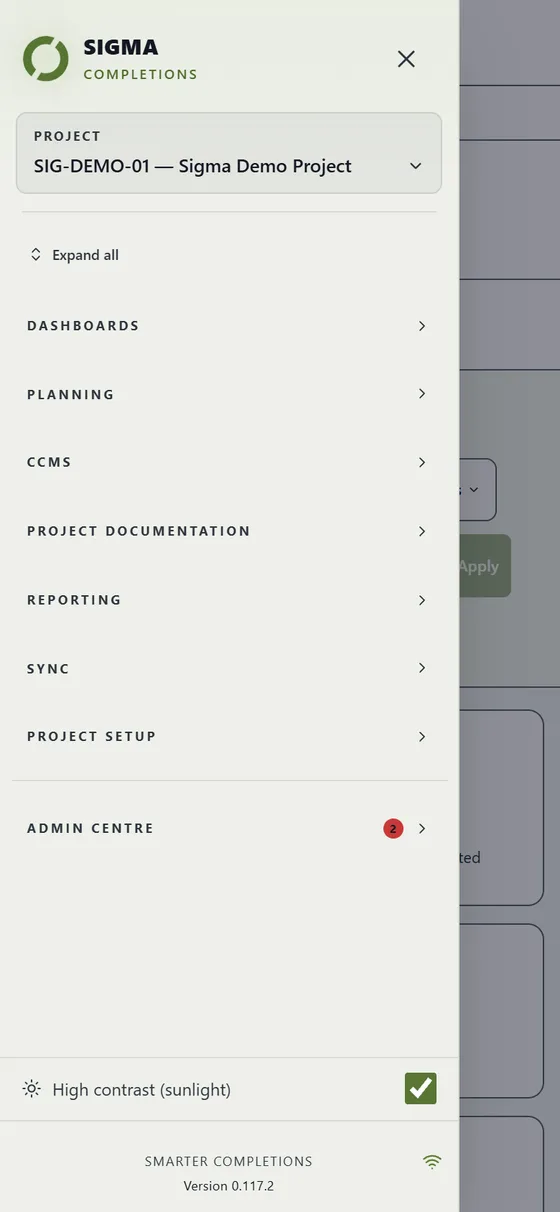
The Sigma menu on a phone, with the high-contrast switch
Every page in a slide-out menu, with a high-contrast mode for full sun
Governance & quality

Built to withstand scrutiny

Completions is where commercial, contractual and safety risk converge. Sigma is designed so every decision can be evidenced later.

Engineer-approved form library

Check sheet and certificate forms are approved by the client's engineers before use, producing a signed approval record that can be distributed to all parties.

Approvals Centre

Everything loaded into a project — assets, certificates, controlled documents, forms, people — waits for the right person's decision before it counts, with a permanent record of who approved what and when.

NCRs & technical queries

Non-conformance reports and technical queries raised, assigned, sent and tracked to close-out, with automatic reminders.

Management of Change

Every change from originated to closed: its category, an impact checklist, as-found and as-left evidence, and a stage list showing who acts next. For register changes, Sigma carries the change out after a preview — and an open change holds the certificates it touches.

Transmittals

Numbered transmittals of documents, check sheets and certificates. Recipients outside the project open them with a code sent to their e-mail, then acknowledge, approve or return each item — and incoming transmittals are logged and read by Axis AI.

Commissioning test procedures

Stage 4 load-commissioning procedures planned against whole systems or single subsystems, with the signed paper copy and every signatory recorded — and the process commissioning certificate held until each one is complete.

Client close-out package

At handover, one package holds every register, check sheet, certificate, change, transmittal, form, file and photo, with the full audit trail. It opens in any web browser without Sigma, and the client’s acceptance is recorded with a signed receipt.

Permanent audit trail

Every sign-off, rejection, exception and re-opening is recorded with the person, time and reason — never overwritten.

Roles & permissions

Granular permissions by role and project, with project administrators managing their own teams. People who leave a project are marked inactive or switched off, keeping every record they signed; inactivity can lapse access automatically.

Segregated project data

Each project's data is held in strict isolation, with access governed by role, company and project.

Hosted in Australia

Sovereign hosting on Microsoft Azure in Australia. Weekly copies are kept in a second Australian region and locked against deletion for up to seven years, restores are tested every quarter, and alerting is automated.

Connected platform

Everything the project produces, in one place

Completions does not happen in isolation. Sigma holds the documents, follows the schedule and opens its data to the systems around it.

Project documentation

Drawings, vendor data, datasheets, procedures, ITPs, redlines and test packs uploaded singly or in bulk, revision-controlled, and linked to the systems and tags they belong to.

Schedule & planning

Import the client schedule from Primavera or Microsoft Project formats, Excel, or a PDF read by Axis AI. Phases, tasks, milestones and links on one timeline; a later revision updates the same tasks and shows what moved.

API & integration

Secure, read-only API keys let your reporting tools, data warehouse or operations systems draw on live turnover data, revocable at any time and scoped to a single project.

Modules

Switch on what the project needs

Beyond the core completions workflow, Sigma carries the registers a project runs alongside it. Each one is a module a System Administrator includes for the client and a Project Administrator switches on, so every project sees exactly what it pays for and nothing it does not.

Work packs & test packs

A work pack bundles a scope’s check sheets, punch and certificates and is issued to a company or person, with live progress. A piping test pack is an asset whose lines sit inside it — one test record for the whole pack, photos and drawings per line, a pack book to print.

Compliance Register

Statutory, contractual and internal obligations with an owner, due or renewal dates, evidence and a log. Overdue, expiring and expired show by themselves and the owner is reminded.

Asset Care

Care plans and rounds on installed plant, work requests from the field, work orders assigned, done and closed with a log — the module the client keeps running after handover.

Materials & Stores

The project store: items with stock that is always the sum of receipts, issues, returns and adjustments; dockets attached; reservations; and a low-stock chase until an order is placed and received.

Permits & Isolations

Permits to work with holder, validity and conditions; every isolation applied and removed with its lock number and who did it.

Vendor & site visits

Who came, why, what they covered and found, the vendor’s report, and the check sheets the visit witnessed.

Training & competency

Competencies and tickets per person with expiry and certificate, a who-holds-what matrix, and check sheets that refuse a signature from someone without the competency they need.

Spares & handover inventory

The spares, special tools and documents the client receives at handover, per asset and sub-system, who signed for them, and a printable inventory for the dossier.

Operations readiness

A readiness checklist per sub-system before handover, read live from the other modules, with a sign-off that shows on the handover dossier.

The difference

Where the time goes with paper records

Minutes per inspection, paper against digital. Built from our own field experience and a 2025 peer-reviewed study.

StepPaperDigital
Filling in the form20 min8 min
Typing up and scanning afterwards60 minNone
Review and approval15 min5 min
Per inspection95 min13 min

Paper times for filling in and for review are from our own field experience. The typing-up time and the digital times are from Agüero, Bustamante and Ulloa (2025), Proceedings of ICCSTE 2025, paper 300, measured on building projects. Your results will depend on scope and team. We will publish our own measurements from Sigma projects as they come in.

Project intelligence
Ask your project a question. Get an answer from your own data.
Axis AI

Sigma's built-in assistant answers plain-language questions — which systems are closest to handover, what is holding a certificate, where punch is concentrated. More on Axis AI →

Smart document import

Existing Word and PDF forms are read and converted into Sigma check sheets, reducing setup time for your form library.

Guided workflows

Step-by-step guides and a full knowledge base are built into every page, so new team members are productive from day one.

Open data

Your data remains yours — exportable at any time, with secure API access for integration with your existing systems.